




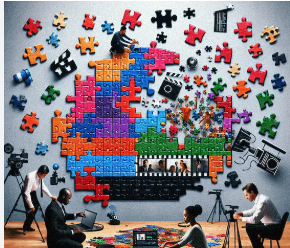
Image to Video AI sits in a category that gets a lot of attention for spectacle, but spectacle is not the part I find most meaningful. The more interesting question is why a tool like this feels practical at all. Static images have always carried implied motion. A portrait suggests expression, a product shot suggests demonstration, a travel photo suggests atmosphere, and an illustration suggests sequence. The problem has never been the absence of motion potential. The problem has been the amount of effort required to unlock it. When a platform turns that effort into a lighter prompt-based process, the creative decision changes from “Is this worth a separate production?” to “Is this worth trying right now?”
That shift matters because so many creative choices are abandoned before they are evaluated. A designer may have a strong still. A marketer may have a campaign visual. A teacher may have a diagram. A family may have meaningful photos. All of these can be rich with narrative possibility, yet none automatically become motion content because traditional conversion often feels too expensive, too technical, or too slow. What the official site presents is a system meant to reduce that hesitation. In my reading, that is the most important thing it does.
The Hidden Cost Of Static Certainty
Static media has one major advantage: certainty. Once the image is finished, the message appears stable. You know what it is. You know how it looks. You know where it can go. But that certainty can also become a constraint.
When a still image is treated as complete, its future uses narrow. It may work on a page, in a deck, or in a feed, but it does not easily become a teaser, a reveal, a short clip, or an emotional sequence without more work. As platforms continue rewarding movement, that boundary becomes more noticeable.
Motion Adds Sequence To Meaning
A still image can suggest a moment. Motion can suggest a process. That difference matters in communication. Product images become demonstrations. Illustrations become explanations. Portraits become moods. Memory photos become experiences rather than records.
The official positioning of the platform reflects this broader idea. It repeatedly frames the system as a way to transform photos into dynamic video content rather than merely decorate them.
A Practical Tool Respects Existing Creative Material
One reason this feels usable is that it starts with what people already have. It does not force every project into text-only prompting. It lets the existing image carry much of the aesthetic burden.
That is important because visual identity often already lives inside the source asset. A brand image already has color, framing, texture, and tone. A family photo already has emotional context. A teaching graphic already has structure. Starting from the image preserves that foundation.
This Is Why The Category Feels Less Abstract Now
Earlier conversations around generative visual tools often centered on invention from nothing. That remains interesting, but it can also be less stable for people who need predictable outputs. Starting from an existing image narrows the gap between intention and result.
How The Website Frames The Experience
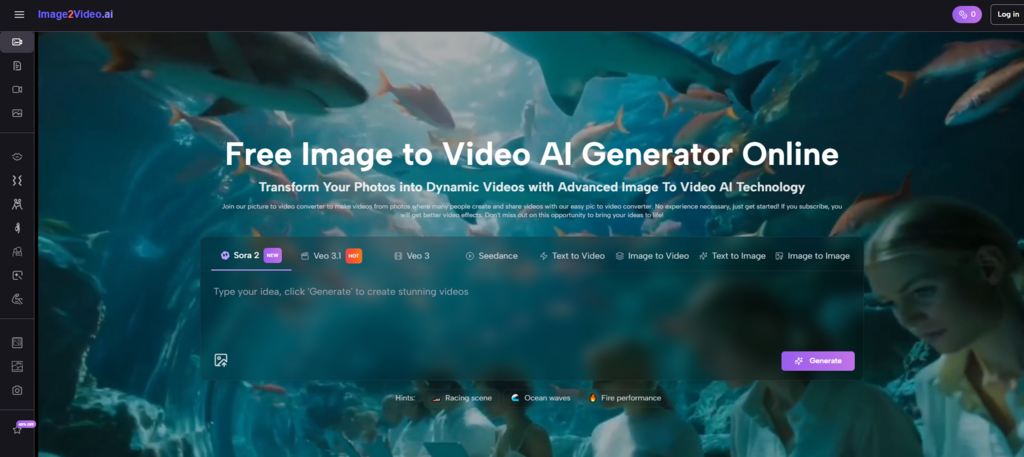
The platform does not present itself as a complicated studio environment. It presents itself as a fast, accessible, online workflow built around existing images, text instructions, and short generation cycles.
The Main Entry Is Deliberately Simple
On the homepage, the official use explanation is broken into a compact sequence: upload the image, enter a prompt text description, wait for processing, then check and share the finished video. That structure matters because it tells the user exactly what kind of effort is expected.
There is no suggestion that users need editing expertise. The language is intentionally broad and accessible, which aligns with the site’s stated desire to serve creators across different backgrounds.
The Generator Layer Adds Useful Specificity
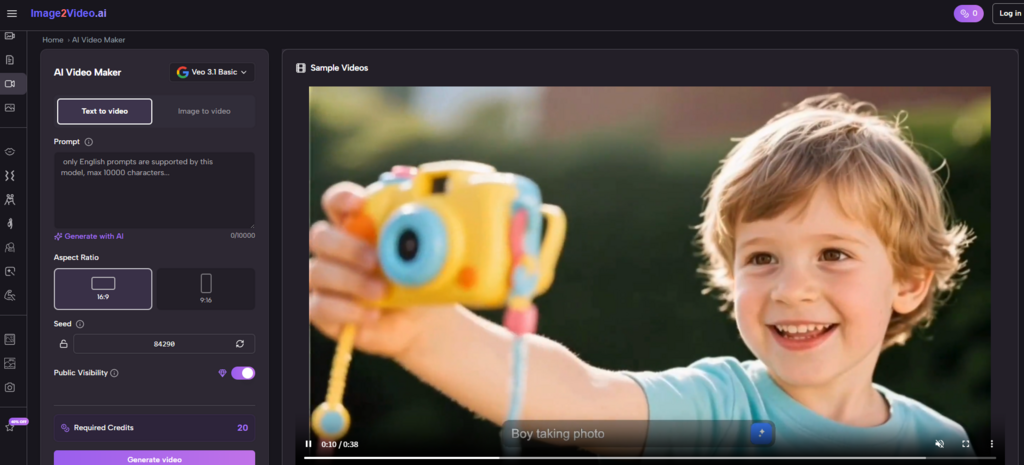
The more detailed generator page introduces practical controls such as aspect ratio choices, video length, resolution, frame rate, seed, public visibility, and required credits. I think this is where the platform becomes more credible.
Without these controls, image-to-video can feel like a novelty effect. With them, it begins to feel like a tool that understands output context. A vertical clip and a wide clip are not the same publishing object. A low-friction interface that still acknowledges those differences is often more valuable than either extreme simplicity or overwhelming complexity.
The Wider Site Suggests A Platform, Not One Trick
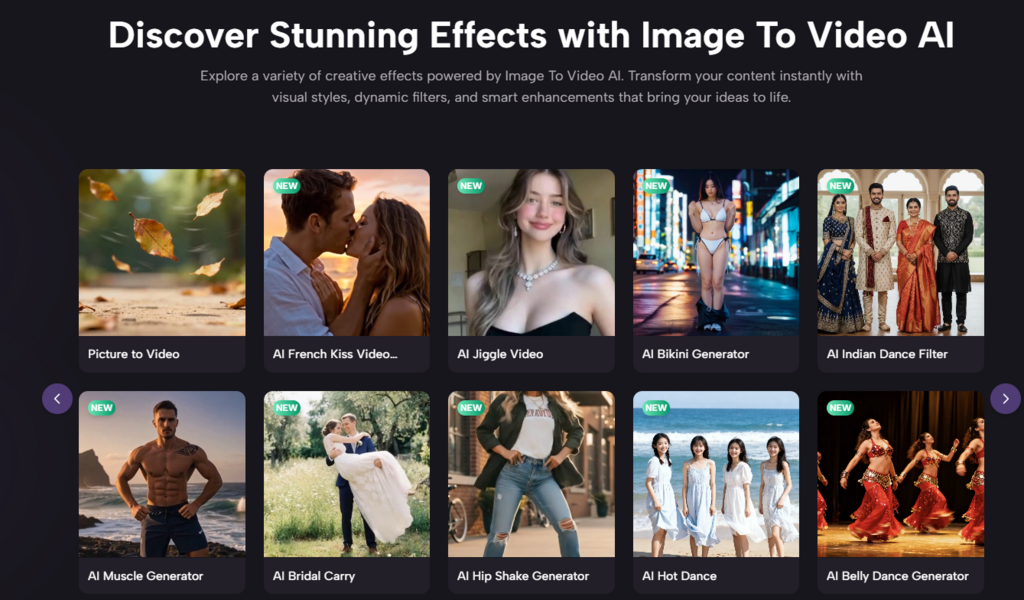
The homepage navigation and adjacent pages point to image-to-video, text-to-video, AI video generation, image generation, and a range of effect-oriented pages such as dance, kiss, hug, old photo animation, and other themed tools.
That broader structure implies the site is trying to become a general creative motion surface rather than a single conversion utility. Whether every branch is equally strong is another question, but the design intention is clear.
A Grounded Three-Step Use Pattern
To stay close to the official flow, I think the most accurate way to describe usage is in three steps.
Step One Uses The Image As A Motion Seed
The user uploads a picture. The homepage explicitly mentions JPEG and PNG support, while the dedicated generator experience emphasizes a photo-to-video path from existing still imagery. The image is not merely an attachment. It is the source of composition, subject, and initial visual identity.
Step Two Shapes Output Through Prompt And Settings
Next comes the text description and settings. This is where the user translates an idea into motion guidance. The interface makes room not only for prompt text but also for ratio, duration, resolution, frame rate, and other configuration choices. In practical terms, this means the user is guiding both style and delivery format.
Step Three Generates A Shareable Result
After processing, the user checks the result and can download or share it. The broader AI video page also states that MP4 export is available and that generation typically takes seconds to minutes depending on complexity. That reinforces the idea that this is not only for experimentation. It is meant to reach publishable output.
Where The Tool Feels Most Useful
Not every creative system is equally valuable in every context. I think this one is strongest where a good still image already exists and motion is needed to increase usefulness, not to invent a whole new concept.
| Scenario | Why a Still Image Is Not Enough | Why Motion Helps |
| Product showcase | Shows form but not energy | Adds reveal and emphasis |
| Social storytelling | Captures mood but not progression | Creates flow in a feed |
| Educational visuals | Explains content but can feel dense | Directs attention step by step |
| Personal memory projects | Preserves a moment | Adds feeling and continuity |
| Campaign reuse | Keeps a visual static across channels | Extends the same asset into video |
Why Photo to Video Feels Like A Creative Shortcut
The expression Photo to Video may sound technical, but its real value is creative leverage. A photo already contains sunk effort. Someone framed it, lit it, selected it, edited it, or designed it. Turning that asset into motion can feel like multiplying the value of work that already happened.
That multiplication effect is especially relevant for creators and teams under time pressure. They do not always need a new idea. They need a new form for an existing idea.
How I Would Judge The Results
I do not think the smartest way to assess output is by asking whether every generated video looks indistinguishable from high-end manual production. That standard misses the actual reason many users would open a tool like this.
Judge Whether The Result Clarifies The Original Asset
Did motion make the image more communicative, more engaging, or more suited to its context? If yes, the tool has likely done something valuable.
Judge Whether The Process Encourages Experimentation
The official messaging around processing time and prompt refinement matters here. A system becomes practical when users feel they can try several directions without a large cost in time or complexity.
Judge Whether The Controls Are Enough For Purpose
In many creative tools, practical usability comes from having just enough settings to adapt output without making the interface heavy. The combination of prompt plus key output controls seems aimed at that balance.
Creative Practicality Is Different From Creative Perfection
This distinction matters. A practical tool helps users create more often, with less friction, for more situations. A perfect tool would solve every aesthetic problem. Those are not the same goal.
What The Limitations Tell Us
The limits are important because they reveal the true role of the platform.
Prompts Still Carry A Lot Of Weight
The workflow depends on what the user asks for. That means clarity in language still influences quality and coherence.
Generated Motion Is Not A Replacement For All Editing
Long-form, frame-specific, or highly branded productions may still require traditional post-production. The platform appears more naturally suited to concise outputs and fast-turnaround content.
Some Output Variance Is Part Of The Medium
The AI video page’s advice to refine prompts or regenerate is realistic. This is not a deterministic system in the way exporting a locked timeline is deterministic. Users should expect some exploration.
That Exploration Can Still Be Productive
In fact, for many lightweight projects, the ability to explore quickly may be more useful than having absolute control from the start. The economics of creativity change when trying an idea becomes cheap.
Why This Matters For The Near Future
I think tools like this matter because they change not only production mechanics but also creative confidence. When making motion feels easier, more ideas get tested. When more ideas get tested, teams and individuals become less conservative about what a still asset can become.
The platform reflects that broader direction clearly. It begins from uploaded images, invites natural-language guidance, offers enough output settings to support practical use, and closes with shareable video results. That sequence may sound ordinary, but it removes an important layer of hesitation from creative work.
In the coming years, I expect the most valuable generative tools will not only impress people with what is possible. They will quietly change what feels reasonable to attempt on a normal workday. This is where image-to-video becomes more than a feature category. It becomes a new default question attached to any strong visual asset: should this move, and if so, how quickly can we find out?
That is why the platform feels more practical than flashy to me. It treats motion not as a rare upgrade reserved for large productions, but as a reachable extension of visual thinking. Once that idea settles into everyday workflows, the distance between a still image and a publishable moving asset becomes much smaller than it used to be.